Screenify
Professional screenshot & screen capture tool for Windows
Capture custom screen regions with hotkeys, annotate with a built-in editor, blur sensitive data, and share instantly. Available as a free version with core capture features or Pro for advanced editing and privacy tools.
Free version includes basic capture modes. Pro adds advanced editing tools, cloud upload, blur & annotation features.
Why Choose Screenify
Region Capture
Select any screen area with pixel-perfect precision using customizable hotkeys
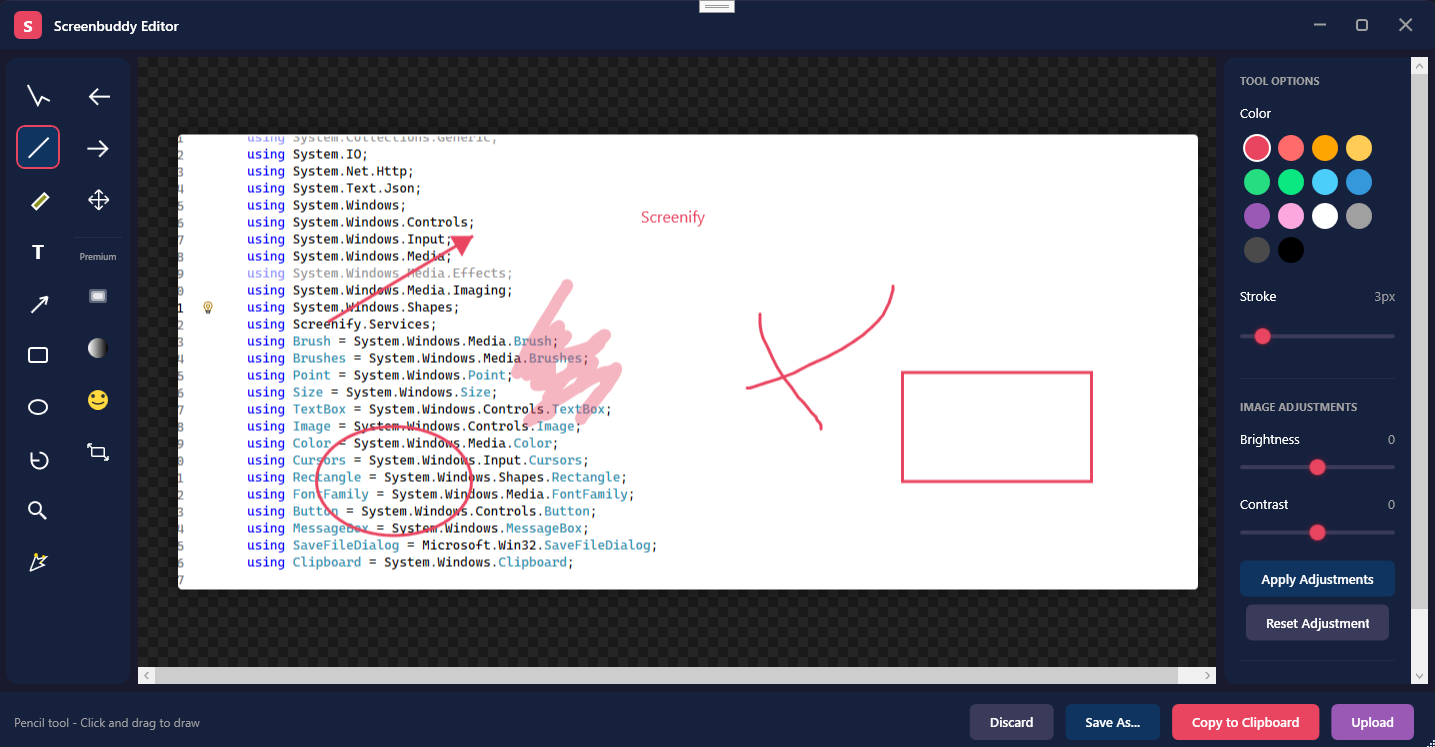
Built-in Editor
Crop, annotate, add arrows, shapes, and text overlays without leaving the app
Instant Sharing
Save locally, upload to cloud, or copy to clipboard with one click
Lightning Fast
Captures and processes screenshots in milliseconds with minimal system impact
Choose Your Edition
Both editions include the full application — Pro unlocks advanced features
Screenify Free
- Region screenshot capture
- Basic hotkey (Prt Screen)
- Built-in image editor
- Save to local storage
- PNG format support
- System tray operation
- Blur & redaction tools
- Password-protected uploads
- Priority email support
Screenify Pro
- All Free features plus:
- Advanced annotation tools (arrows, text, shapes)
- Cloud upload & instant sharing
- Blur & redaction tools
- Multiple format support (PNG, JPG)
- Password-protected uploads
- Custom hotkey bindings
- Priority email support
- Monthly updates
Screenify Features
Everything you need for professional screenshot capture
Privacy
- Blur sensitive information
- Password protection
- Automatic redaction
- Secure local storage
Editing Tools
- Crop and resize
- Annotations and text
- Arrows and shapes
- Blur and pixelate
Hotkeys & Controls
- One-click capture
- System tray integration
- Quick capture menu
- Auto-capture timer
Sharing & Export
- Instant cloud upload
- Copy to clipboard
- Multiple format support
- Shareable links
Screenify Screenshots
See Screenify in action
1
Main Interface
Clean, intuitive screen capture interface
System Requirements
Frequently Asked Questions
Screenify includes blur and pixelate tools to hide sensitive information, password-protected uploads, automatic redaction options, and secure local storage for your screenshots.
Yes! Screenify includes a built-in image editor with crop, resize, annotation tools, arrows, shapes, and text overlays.
Yes! You can instantly upload screenshots to cloud storage or save locally. Share via link or copy to clipboard with one click.
Screenify offers a free version with basic capture and editing features, and a Pro subscription starting at $9.99 per month. Cancel anytime. Annual plans are also available at a discount.
Screenify supports PNG and JPG formats. You can choose your preferred format in the settings.
Get Screenify Today
Join professionals using Screenify for fast, private screenshot capture
What Users Are Saying
Real feedback from Screenify users