AutoClick Pro
Mouse automation software for Windows
Automate repetitive clicking tasks with precision timing, custom hotkeys, and multi-location sequences. Available as a free version with core features or Pro for advanced automation.
Free version includes core clicking features. Pro adds sequences, scheduling & profiles.
Why Choose AutoClick Pro
Lightning Fast
Execute clicks with microsecond precision timing for rapid automation
Pixel Perfect
Target specific windows, coordinates, or follow cursor with sub-pixel accuracy
Feature Rich
Multi-location sequences, scheduling, profiles, random intervals, and window targeting
Always Updated
Regular monthly updates with new features and Windows compatibility
Choose Your Edition
Both editions include the full application — Pro unlocks advanced features
AutoClick Pro Free
- Single & double click modes
- Left & right button support
- Fixed interval clicking
- Basic hotkey (F6 start/stop)
- System tray operation
- Multi-location sequences
- Scheduled automation
- Profile save/load
- Priority email support
AutoClick Pro
- All Free features plus:
- Multi-location click sequences
- Scheduled automation tasks
- Virtual mode support
- Random interval patterns
- Window-specific targeting
- Custom hotkey bindings
- Priority email support
- Monthly updates
AutoClick Pro Features
Everything you need for professional mouse automation
Click Automation
- Single and double click modes
- Left, right, double click
- Click-and-hold with duration control
- Random interval offset for natural patterns
Targeting Options
- Fixed screen coordinates
- Relative to active window
- Follow cursor position
- Multi-monitor support
Advanced Controls
- Global hotkey triggers (F2/F3)
- Scheduled automation tasks
- Click count limits
- Window-specific activation
User Experience
- Minimal system tray operation
- Record clicks
- Help & Guide available
- Escape button as emergency hotkey
AutoClick Pro Screenshots
See AutoClick Pro in action
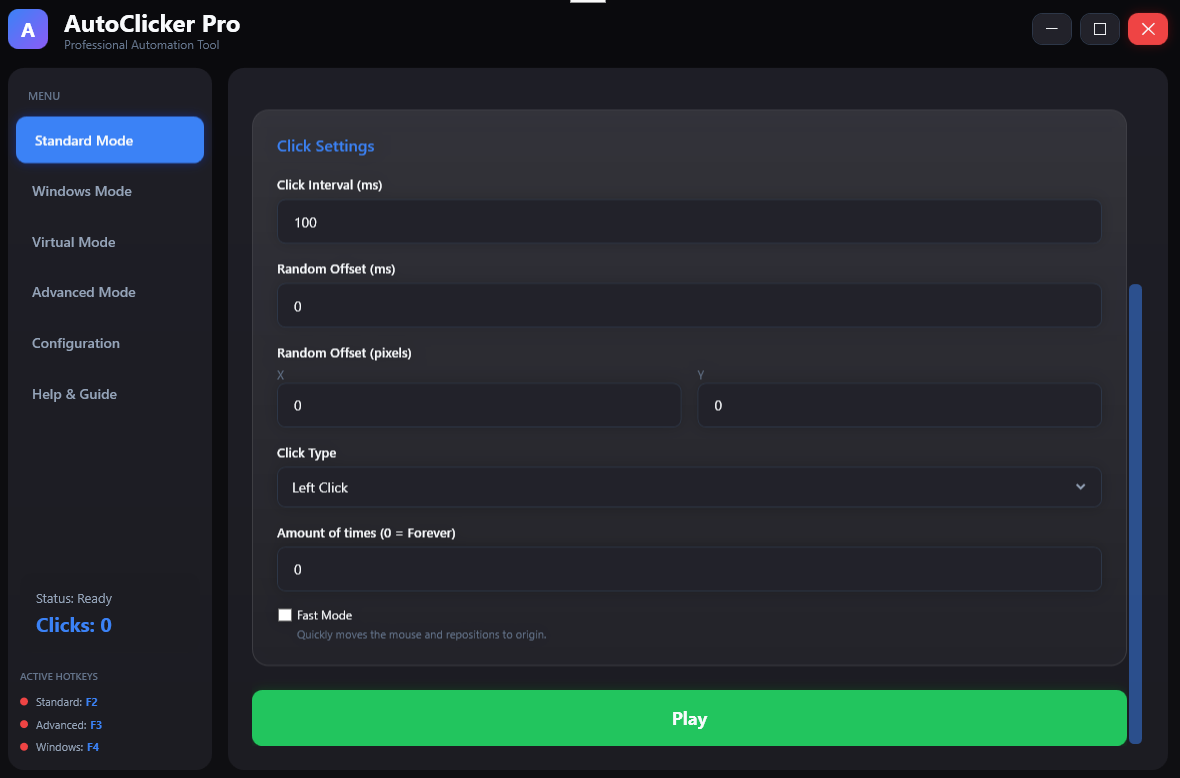
1
Main Interface
Clean, intuitive control panel for AutoClick Pro
 2
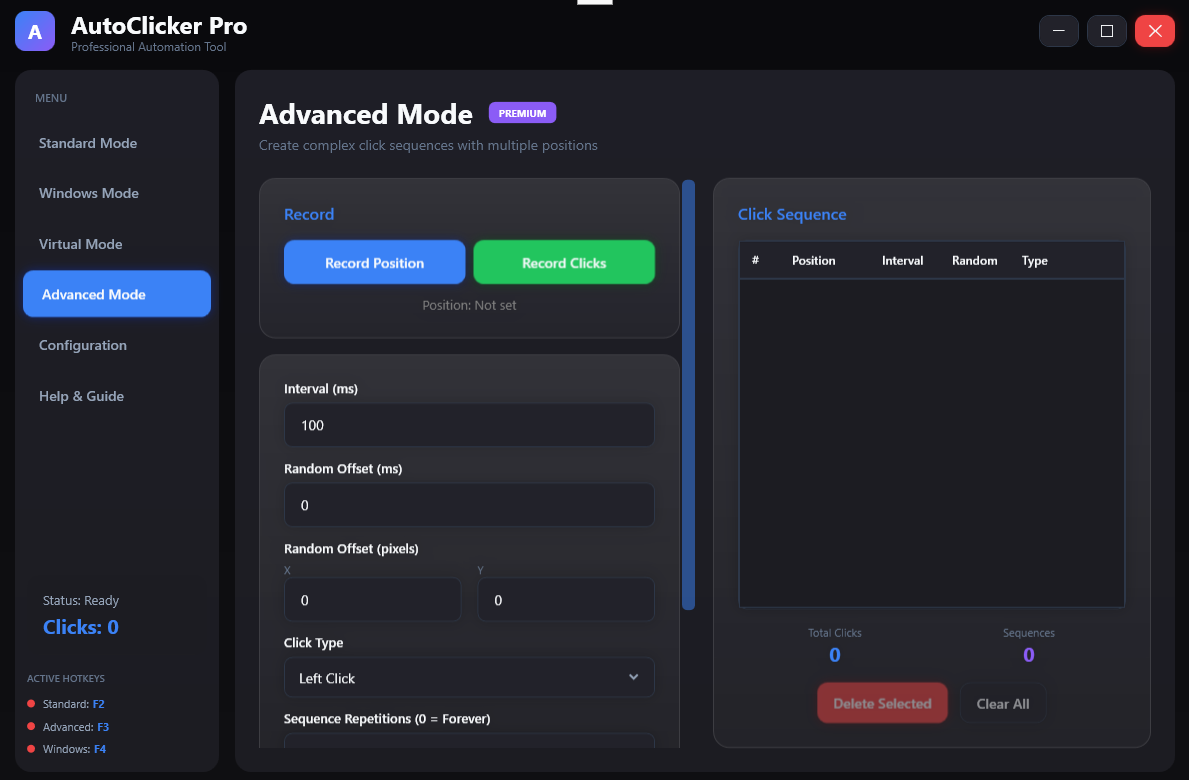
2
Advanced Settings
More features than the standard mode
 3
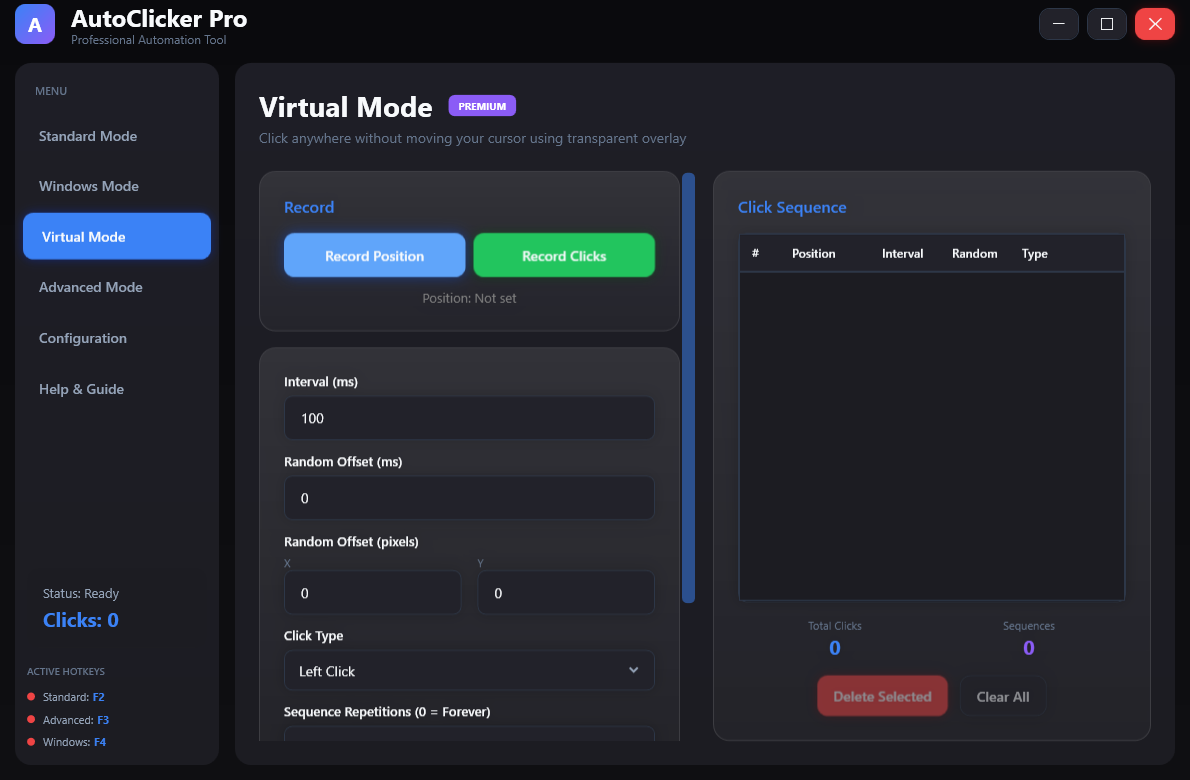
3
Virtual Mode
Virtual mode settings for background click automation
 4
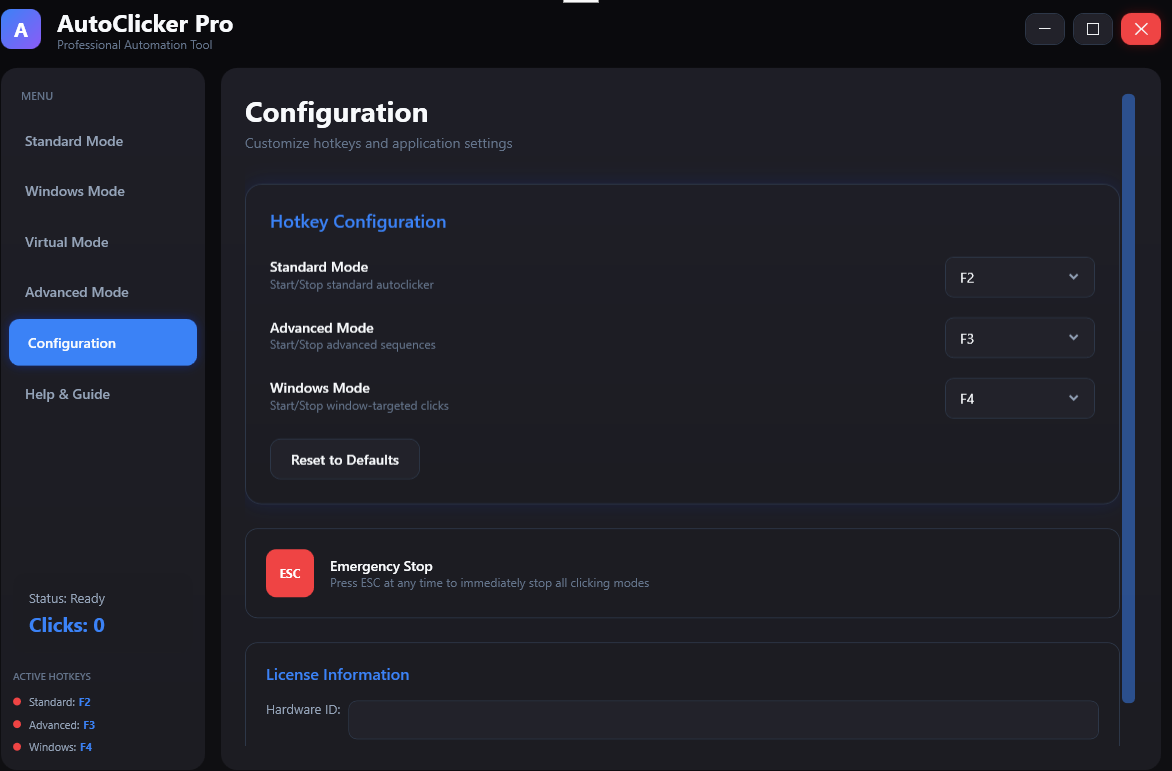
4
Hotkey Configuration
Customize and manage hotkey bindings
System Requirements
Frequently Asked Questions
Yes! AutoClick Pro offers a free version with core features and a Pro subscription starting at $9.99 per month. Cancel anytime with no long-term commitment. Annual plans are also available at a discount.
AutoClick Pro works with most Windows applications and games. However, some games with anti-cheat systems may block third-party automation tools.
Each AutoClick Pro license is tied to a single hardware ID. You will need a separate license for each computer.
Yes! AutoClick Pro includes free features such as single and double click modes, left and right button support, fixed interval clicking, and basic hotkey controls. Pro features like multi-location sequences, scheduling, and profiles require a paid subscription.
AutoClick Pro requires Windows 10 or Windows 11 (64-bit), a 1 GHz processor, 512 MB RAM, and 50 MB of free disk space. An internet connection is required only for Pro license validation.
Get AutoClick Pro Today
Join thousands of users automating repetitive tasks with AutoClick Pro
What Users Are Saying
Real feedback from AutoClick Pro users